
The unrealized potential of olfactory design
She started her blog exactly six months before I launched Camels & Chocolate, and she really set the bar high for my own blog birthday,
Read post


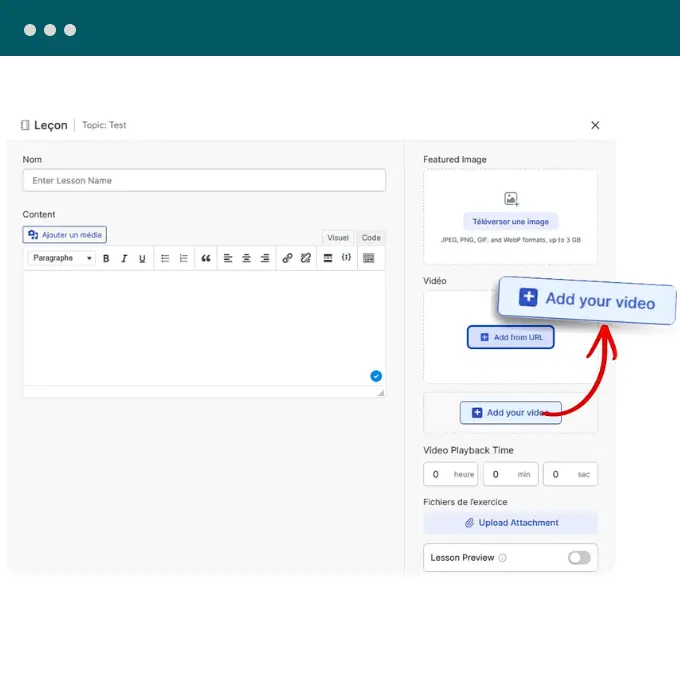
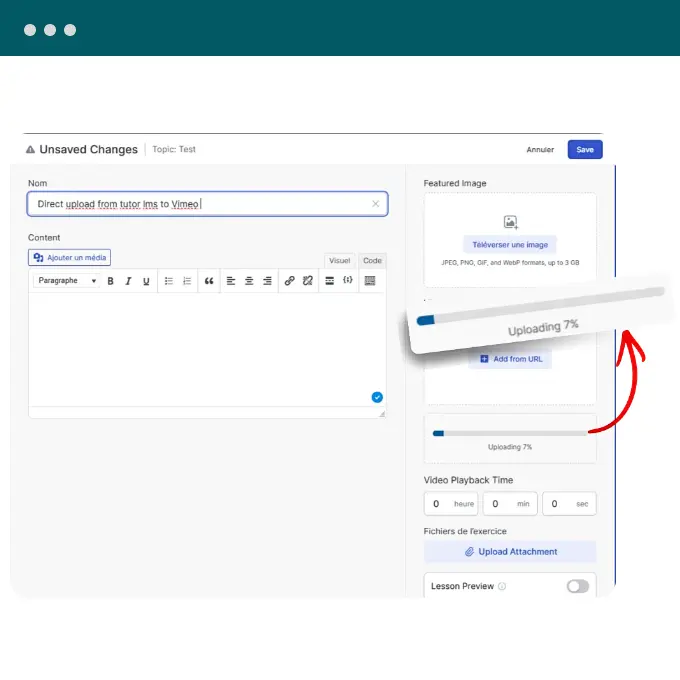
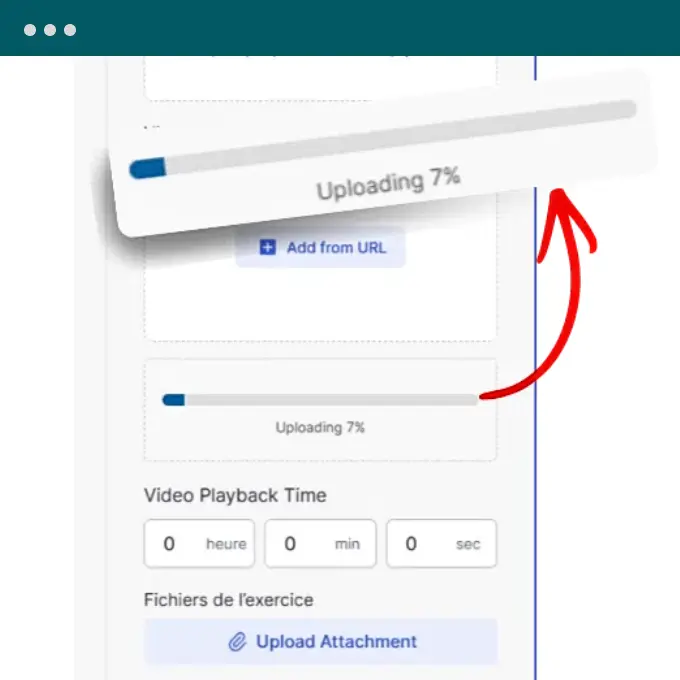
This integration is a game-changer for eLearning platforms and multi-instructor marketplaces. It allows instructors to upload course videos directly from the Tutor LMS frontend course builder without ever needing access to the WordPress backend or the Vimeo account credentials. So it significantly speeds up course creation by removing the need to switch tabs between Vimeo and WordPress.
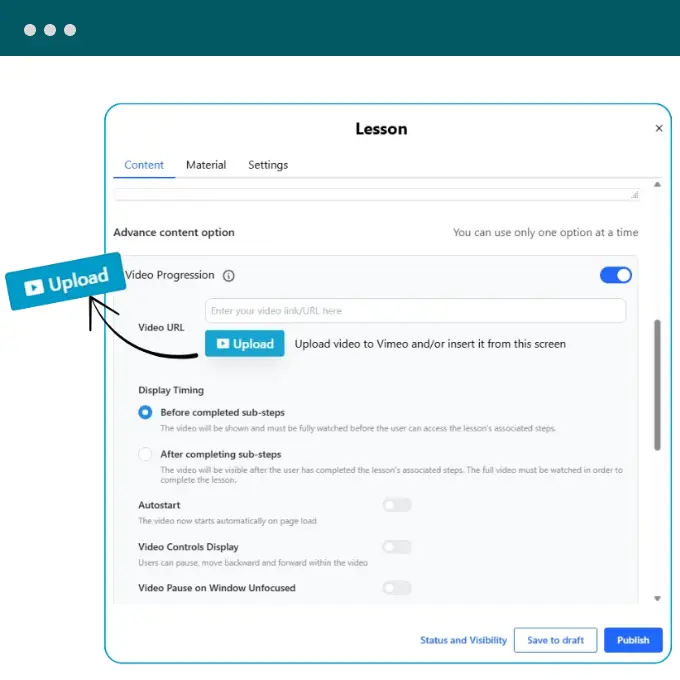
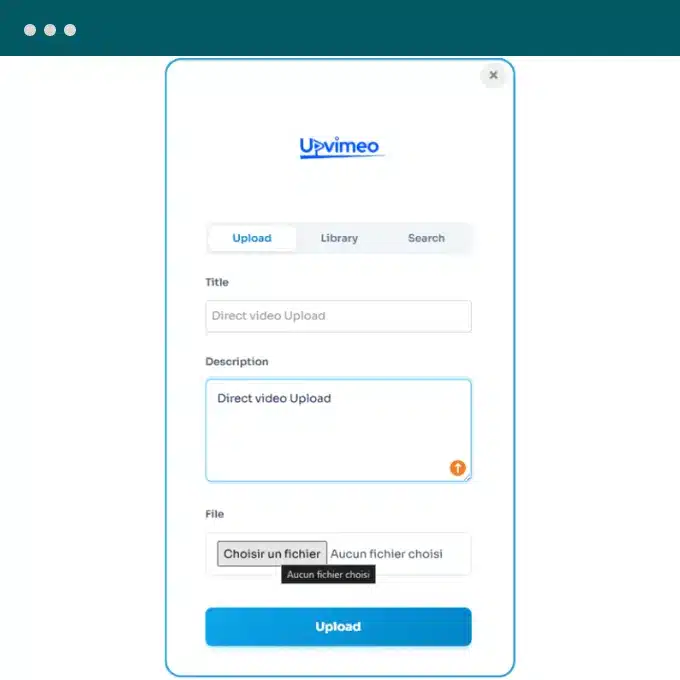
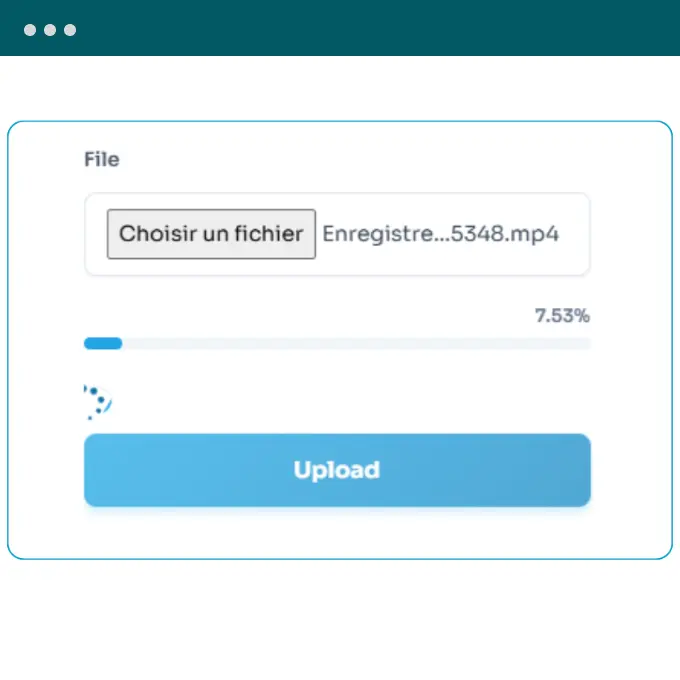
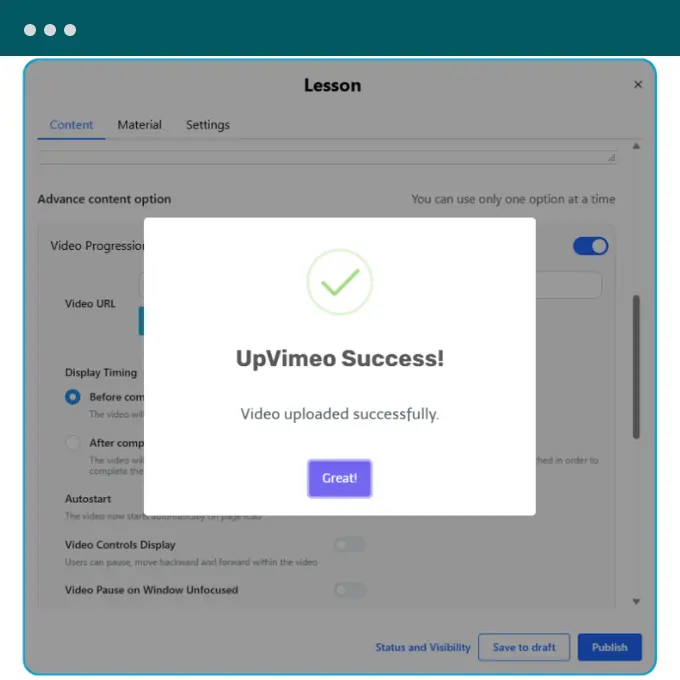
Designed for serious course creators, this integration streamlines the workflow of adding video content to LearnDash lessons and topics. It eliminates the friction of manual embedding, ensuring that your lesson progression settings (like “Video Progression”) work perfectly with your uploaded content immediately.

Perfect for agencies and sites requiring User Generated Content (UGC). Also whether you are running a video contest, accepting job applications with video resumes, or collecting client feedback, this integration allows visitors to upload large video files securely via a frontend form. Crucially, these files go straight to Vimeo, bypassing your WordPress server’s storage and bandwidth limits.


Bypass server limits completely. Use the advanced TUS protocol to stream massive video files directly to Vimeo, ignoring WordPress upload size limits and PHP timeouts.

Streamline course creation. Upload lesson videos directly inside the Tutor LMS and LearnDash builders without ever switching tabs or logging into Vimeo.

Collect video safely. Let users upload videos via Gravity Forms and WPForms directly to your Vimeo account, perfect for contests, job applications, or support.

Secure content immediately. Define "Who can watch" and set allowed embed domains (e.g., https://www.google.com/search?q=yoursite.com) directly during the upload process—before the video is even live.

Build custom video sites. Use the dedicated Advanced Custom Fields (ACF) integration to add "Upload" or "Select Video" buttons to any custom post type or page.

Protect your account. Allow authors, instructors, and clients to upload videos to your channel without ever sharing your master Vimeo username or password.

Edit without leaving. Update video titles, descriptions, privacy settings, and assign Vimeo folders directly from your WordPress Media Library.

Maintain brand consistency. Automatically apply your saved Vimeo "Embed Presets" (player colors, buttons, logos) to every uploaded video.


“We’re looking for people who share our vision! most of our time used to be taken up by most of alternate administrative work whereas now we can focus on building out to help our employees.”

“This powerfull tool eliminates the need to leave Salesforce to get things done as I can create a custom proposal with dynamic pricing tables, and get approval from my boss all within 36 minutes.”

“We are based in Europe and the latest Data Protection Regulation forces us to look for service suppliers than comply with this regulation and as we look to create our website and this builder just outstanding!”

“We’re looking for people who share our vision! most of our time used to be taken up by most of alternate administrative work whereas now we can focus on building out to help our employees.”

“We’re looking for people who share our vision! most of our time used to be taken up by most of alternate administrative work whereas now we can focus on building out to help our employees.”
“This powerfull tool eliminates the need to leave Salesforce to get things done as I can create a custom proposal with dynamic pricing tables, and get approval from my boss all within 36 minutes.”
“We are based in Europe and the latest Data Protection Regulation forces us to look for service suppliers than comply with this regulation and as we look to create our website and this builder just outstanding!”
“We’re looking for people who share our vision! most of our time used to be taken up by most of alternate administrative work whereas now we can focus on building out to help our employees.”
She started her blog exactly six months before I launched Camels & Chocolate, and she really set the bar high for my own blog birthday,
Read post
She started her blog exactly six months before I launched Camels & Chocolate, and she really set the bar high for my own blog birthday,
Read post
She started her blog exactly six months before I launched Camels & Chocolate, and she really set the bar high for my own blog birthday,
Read post
She started her blog exactly six months before I launched Camels & Chocolate, and she really set the bar high for my own blog birthday,
Read post
She started her blog exactly six months before I launched Camels & Chocolate, and she really set the bar high for my own blog birthday,
Read post